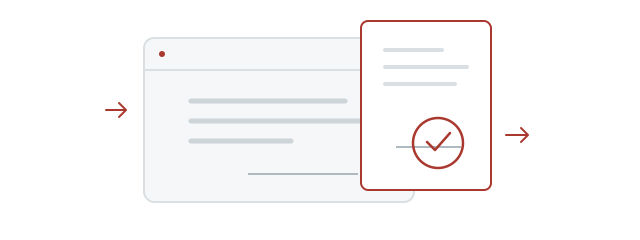
Transparent background
Place the stamp over a form without covering it with a white box.
Enter your name in Hangul, then pick a shape and lettering style. Download a transparent PNG for documents or your own projects.
Loading the stamp maker.
Refresh if loading does not finish.A Korean name stamp, or dojang, is a seal design containing a name. Stampng creates a digital image of your Hangul name, ready to save as a transparent PNG.
Place the stamp over a form without covering it with a white box.
Download the original PNG and resize it to fit. Print quality depends on the placed size and application settings.
Choose a name, shape and font. No account, payment or installed design software is needed.
Place the stamp over the (인) seal mark beside the name. Its transparent background keeps the document visible. Resize proportionally to fit the signature area.
Insert the PNG with Insert → Picture. In object properties, turn off inline placement and choose In Front of Text to place it over a signature field.
Read guideInsert the PNG using Insert → Pictures. Choose In Front of Text in Layout Options, then resize from a corner while keeping its proportions.
Read guideUse Insert → Illustrations → Pictures. Move the image to the signature field, keep its proportions when resizing, and check Print Preview.
Read guideCheck whether your PDF app supports image insertion. Acrobat Reader creates custom stamps from PDF only, which differs from inserting a PNG. Reopen the saved file to check.
Read guideScanned or photographed a stamp on paper? Remove the paper background and save a transparent PNG for your documents.
If your insurance claim allows an image of your usual stamp in the paperwork, try removing the background from a photo. Check the insurer's document requirements before submitting.
Remove a stamp photo backgroundPhotos stay on your device, without uploading.
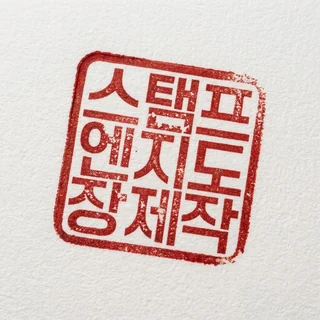 Stamp photo
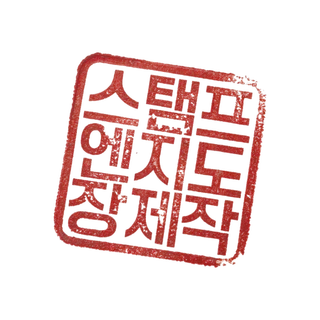 Transparent PNG
Compare the real Hangul examples, from brush-like lettering to clean modern type. Korean font names are kept in their original form. Hanja coverage varies by font.
Yes. You can create and download a stamp PNG without an account or payment.
Previews have a watermark and an opaque background. The final file from Save PNG has a transparent background and no visible watermark.
Some viewers display transparent areas as white or black. Insert the original downloaded PNG, not a screenshot, into a document to check. Send it as a file to avoid image conversion in messaging apps.
Your name is sent to the API to generate the image, but is not recorded in usage statistics or application logs. Input and results are kept temporarily in this tab; recent and kept stamps may remain in My stamps in this browser. The server does not store a personal stamp archive.
First check how you want your name written in Hangul, then type or paste it here. Spellings vary with pronunciation. Stampng does not automatically translate or transliterate names.
Fonts marked Hangul · Hanja support some Hanja. Coverage varies and some characters may be unavailable. A non-Hanja font may be replaced by Noto Serif KR.
Previews have a watermark and an opaque background. The final file from Save PNG has a transparent background and no visible watermark.
Some viewers display transparent areas as white or black. Insert the original downloaded PNG, not a screenshot, into a document to check. Send it as a file to avoid image conversion in messaging apps.
Save the PNG from your browser, then use Insert Picture in your document app. Download locations and features depend on the device, browser and app.
Use Edit on the result page to keep your choices while making changes. Input and results are kept temporarily in the same tab and may become unavailable if browser session data is removed. Save any PNG you need.