Transparent PNG
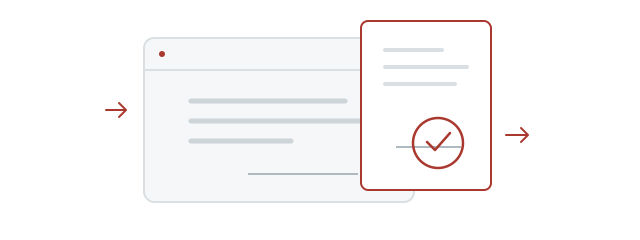
Remove the background so a white rectangle does not cover document text or lines.
Remove the background from a scanned or photographed stamp for free and save a transparent PNG. Your photo is never uploaded.
A small preview helps locate red or purple stamps, with padding of about 15% of the longer side on each edge. Check that all strokes fit inside the dotted outline before applying. Select manually for black, multiple or faint stamps.
Left −45° · right +45° · 0.1° steps
Align the photo using the grid, then select an area. Rotating resets the selection. The grid is not saved.
Leave a little paper around the stamp and set ① top left → ② top right → ③ bottom right → ④ bottom left. Drag a point, or choose a corner below and tap the photo to move it.
Press “Remove background from selection” below to straighten the four-corner selection into a rectangle. The true aspect ratio cannot be determined from a photo alone.
Reduces black text and lines mixed with faint red ink. Turn off if colors change or dark strokes disappear. Fully covered strokes cannot be restored.
Increase to remove more paper texture. If light ink strokes fade, reduce the strength.
Select an area in the original photo,
then remove the background.
Balances the margins around the remaining strokes without changing image size or stamp shape. Remaining specks can affect alignment.
Only result PNGs you choose to Keep are stored in this browser; the original photo is not stored. Clearing browser data may delete these images. View My stamps
Check the original strokes and texture. Removing the paper color may change the ink colors.
Up to 2,048 px on the long side · transparent PNG
Clearing the photo or leaving the page discards edits. PNGs kept in My stamps remain separately.
Share this tool with someone who needs to reuse a stamp photo. A small share helps keep the service free.
Remove the paper around a stamp and save a transparent PNG. Keep the original texture or use a uniform color, then add it to your documents.
Remove the background so a white rectangle does not cover document text or lines.
Adjust rotation and perspective, and fill extracted strokes with a uniform color.
Photos are not uploaded. Download a PNG or keep the result in My stamps in this browser.
You do not need to make a new stamp image. Stamp a sheet of paper with your usual seal, then take a photo or scan it. Remove the background to save just the ink impression as a transparent PNG for your document.
Check first whether the insurer accepts an electronic document with a stamp image. In Korea, it may require a hand-stamped original, a registered-seal certificate (인감증명서) or a personal-signature confirmation (본인서명사실확인서). A PNG cannot replace those required documents.
Stamp plain, light paper and focus carefully. Avoid shadows and glare for better results.
Reduce surrounding text and excess space. Black stamps cannot be automatically separated from text of the same color.
Lower removal strength if strokes disappear. Covered or broken strokes are not restored or redrawn.
Only use photos you have permission to use. Convert HEIC, HEIF or AVIF to JPG or PNG first. If the camera button does not work, use Choose a stamp photo.
Place the stamp over the (인) seal mark beside the name. Its transparent background keeps the document visible. Resize proportionally to fit the signature area.
Insert the PNG with Insert → Picture. In object properties, turn off inline placement and choose In Front of Text to place it over a signature field.
Read guideInsert the PNG using Insert → Pictures. Choose In Front of Text in Layout Options, then resize from a corner while keeping its proportions.
Read guideUse Insert → Illustrations → Pictures. Move the image to the signature field, keep its proportions when resizing, and check Print Preview.
Read guideCheck whether your PDF app supports image insertion. Acrobat Reader creates custom stamps from PDF only, which differs from inserting a PNG. Reopen the saved file to check.
Read guidePhotos are processed in this browser without uploading. Only result PNGs you explicitly keep in My stamps are stored here. Original photos are not stored.
Checkerboard, paper, white and dark are preview backgrounds only. They are not included in the saved PNG. Insert it into a document to check transparency.
Select around the stamp and adjust removal strength. Raise it for stains; lower it if faint strokes disappear. Plain, light paper photographed straight on works best.
For red stamps, compare with Reduce document lines and text enabled. Same-color text is hard to distinguish, and fully covered strokes cannot be restored. Turn it off if dark stamp strokes disappear.
No. This experimental model is trained on synthetic images, so the standard method may work better on some photos. Compare both and check the original strokes before saving.
My stamps stores images only in this browser, with no account sync. Download PNGs and transfer them to use on another device. Clearing browser data may delete saved stamps.
No stamp photo? Choose a name, shape and font to create a new transparent stamp.
Create a free stampView stamps saved in this browser and download the PNGs you need again.
Open My stamps© 2026 Stampng. All rights reserved.
Stampng holds copyright in the background-removal implementation and model-related programs and documentation. Unauthorized copying, extraction, modification, redistribution, sale or integration of the code, model files or weights into other services is strictly prohibited. Confirmed infringement may lead to requests to stop use or remove material and claims for damages under applicable law.
This does not restrict normal use of the tool or saving, sharing and using result PNGs in documents. Uses permitted by law and third-party licenses remain respected.
Full copyright and use notice